Watch guide

Watching Candy AI Shorts, step by step, on any screen

To watch Candy AI Shorts, open candyshorts.com or the Shorts tab on candy.ai, pick a series and play episode 1. Episodes 1 and 2 are free with a free account; from episode 3 you need Premium, which includes 100 tokens a month, at 12 tokens an episode (30 on creator series). It all runs in the browser, so any phone, computer or TV that shows web pages will do.

Affiliate links: we may earn a commission, at no cost to you. Disclosure

Updated

Prices checked on candy.ai on

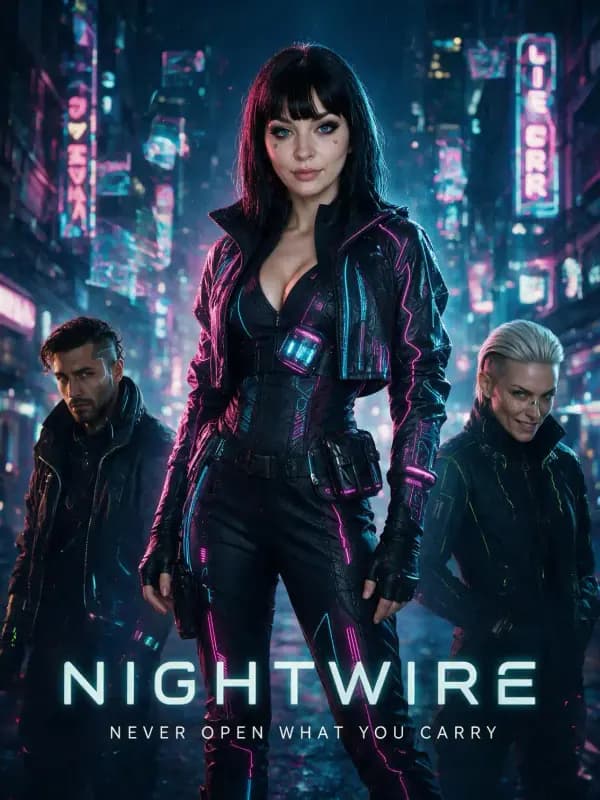
NightWire: Candy AI Shorts series poster
On this page13 sections

Where the episodes live

Candy AI Shorts plays in two places that share one account. candyshorts.com is the dedicated Shorts site; candy.ai puts the same series in a Shorts tab next to its chat and image tools. Start on one and log in on the other whenever you like.

candyshorts.com vs the Shorts tab on candy.ai (as of September 2026)
Featurecandyshorts.comcandy.ai Shorts tab
What it isCandy’s dedicated Shorts siteThe Shorts tab inside Candy AI, next to chat and the image tools
AccountYour Candy accountThe same Candy account
Free episodesEpisodes 1 and 2; guests could start them in our checkEpisodes 1 and 2; some visitors are asked to sign up after episode 1
Locked episodesOpen the Join Membership checkoutShow a token price: 12, or 30 on creator series
Premium plansThe same three plansThe same three plans
Also thereShorts onlyChat, image and video tools, Live Action

Watch your first episode free

  1. Step 1: Open Candy Shorts

    Go to candyshorts.com, or open candy.ai and tap Shorts. The buttons on this page open Candy’s Shorts page in a new tab.

  2. Step 2: Choose a series

    Browse the posters and open a series page to see its episodes in order. Recent additions are flagged as new.

  3. Step 3: Press Watch Episode on episode 1

    It plays in a vertical player. On a phone, go fullscreen; switch subtitles on from the player if you want them.

  4. Step 4: Sign up free if you’re asked

    Candy tests its guest limits: some visitors can play episodes 1 and 2 straight away, others get the free sign-up prompt after episode 1. The account costs nothing.

  5. Step 5: Watch episode 2, then decide

    Episode 2 is free too. From episode 3 you’ll see the lock, and the next section explains what unlocking costs.

How to unlock episode 3 and the rest

On every series except Simona Rossi: Wrong But Right, the paywall starts at episode 3; on that one, a free candy.ai account plays episode 3 too, so the lock starts at episode 4. To go further you need Candy AI Premium:

  • On candy.ai, each locked episode shows its token price: 12 tokens on 111 series, 30 on the 7 creator series. Without Premium, it opens Candy’s “Upgrade to Unlock” prompt.
  • With Premium you get 100 tokens a month, and unlocking an episode spends its price.
  • On candyshorts.com, a locked episode opens the Join Membership checkout, which lists the same three plans.

Finishing a typical five-episode series therefore takes 36 tokens, a creator series 90, and a 15-episode series like YES MA'AM 156. Premium starts at $3.99 a month on the 12-month plan (billed $47.88) as of September 2026; check the checkout for your region. Here’s what unlocking costs on each plan.

On iPhone and iPad

There’s no App Store app, but Safari can install Candy Shorts as a web app with its own icon in under a minute.

  1. Step 1: Open Safari and go to candyshorts.com or candy.ai

  2. Step 2: Tap the Share button

    It’s the square with an arrow. On newer iOS layouts it may sit behind the ⋯ button.

  3. Step 3: Choose Add to Home Screen

    Scroll the share sheet if you don’t see it. You can rename the icon before tapping Add.

  4. Step 4: Open it from the new icon

    It runs full-screen without Safari’s bars. Log in once inside it: Home Screen web apps keep their own login.

Notifications and troubleshooting are covered in our guide to install the web app.

On Android

  1. Step 1: Open Chrome and go to candyshorts.com or candy.ai

  2. Step 2: Tap ⋮, then Add to Home screen

    Chrome may offer Install app instead when a site supports it. Confirm with Add or Install.

  3. Step 3: Open it from the icon

    It opens in its own window and can send notifications once you allow them.

Other Android browsers, such as Samsung Internet, have a similar option in their menus. For the full answer to “is there an app?”, including why Google Play has none, see our app guide.

On a computer

Any current browser (Chrome, Edge, Safari or Firefox) plays Candy Shorts on Windows, macOS or Linux, with nothing to install. The player has playback-speed and fullscreen controls. Because the episodes are vertical, a wide monitor leaves empty space on both sides: fullscreen centers the picture, or you can shrink the window to phone proportions and keep it next to your work.

Already signed in on your phone? Log in with the same account and your Premium plan comes with you.

On a TV

There’s no Candy Shorts app for Roku, Fire TV, Apple TV or Android TV as of September 2026: Candy doesn’t make native apps at all, and apps with “Candy” in the name on TV platforms belong to other companies. You can still get the episodes onto a big screen:

Four ways to watch Candy AI Shorts on a TV
MethodYou needHow
Cast a browser tabChrome on a computer, plus a Chromecast or a TV with Google TVChoose Cast in Chrome’s ⋮ menu (under Cast, save and share on newer versions), then pick your TV
AirPlay mirroringAn iPhone, iPad or Mac, plus an Apple TV or an AirPlay-compatible TVOpen Control Center, tap Screen Mirroring and choose the TV
HDMI cableA laptop with an HDMI port or adapterPlug in, switch the TV’s input and play the episode fullscreen
The TV’s own browserA smart TV with a web browserOpen candyshorts.com; video support varies a lot between TV models

Two things to expect: a vertical episode fills only the middle of a widescreen TV, with black bars on both sides, and mirroring sends everything on your screen to the TV, notifications included, so silence them first.

Subtitles and dubbed audio

Subtitles are nearly universal. On the free episodes, 116 of the 118 series offer English, French, German, Spanish, Italian and Portuguese, and 22 of those add Japanese. Only Addicted to my stepdad and Simona Rossi: Wrong But Right showed no subtitle track.

Dubbed audio is rarer: 14 series offer French, German, Spanish, Italian and Portuguese dubs next to the original English. YES MA'AM is a series with dubbed audio; others include Mona's Worst Enemy, Under the Boss and Sworn to the Queen.

To switch, use the subtitle and audio controls in the player. The choices depend on the series.

Watch order and binge time

Watch each series in order: episodes are numbered, each one picks up where the last stopped, and the free ones are always the first ones, so there’s nothing to gain by skipping ahead. Candy doesn’t publish runtimes, so we can’t give exact binge times. With episodes of roughly one to three minutes by Candy’s own description, most of the 107 five-episode series make a single short sitting.

The long ones are proper binges: My bestie betrayed me runs to 34 episodes, followed by YES MA'AM (15), Mona's Worst Enemy (15), Caught Between Sisters (15) and Simona Rossi: Wrong But Right (15).

Follow a character across series

Several characters return in different stories, so you can follow one face across the catalogue. Creator series work the same way: see the creator series in watch order.

Characters who lead four or more series (as of September 2026)
CharacterSeriesIncluding
Holly Donovan5Under Holly’s Command, My Hot Stepmom Just Crashed Our Euro Trip
Mona Newman5Mona's Worst Enemy, My Roommates are Thirsty!
Diana Demont4YES MA'AM, Got Stuck With My Girlfriend's Stepmom
Mila Nowak4Your Wish is my Command, She's not real
Veronica Parker4Midnight Compartment, Veronica's Fitting Room
Every character is a fictional, AI-generated adult.

After the episode: chatting with the characters

99 of the 118 series credit a lead character who also has a chat profile on candy.ai, and Candy’s player is set up to hand you over to a chat with that character when an episode ends; the exact prompt may vary. The other 19 series point to Create Character instead.

A free account includes up to 5 messages, and Premium lists unlimited text chat. Here’s how chatting with a Shorts character works.

Playback problems

  • The episode won’t start. Reload the page, then try the other site (candyshorts.com or candy.ai) with the same login.
  • No sound. Check the player’s volume and your device’s; if playback started muted, tap the speaker icon.
  • A sign-up or payment screen appears. That’s the free limit for your session: log in to your free account, or see what unlocking costs above.
  • Constant buffering. Move to a stronger connection, close other tabs and pause VPNs or data savers that slow video down.
  • Login loops or payment errors. Clear the site’s cookies or try a private window; if that fails, contact Candy support through its help center.
  • The home-screen icon misbehaves. Delete it and add it again from Safari or Chrome.

Watching discreetly

  • Use a private or incognito window: nothing stays in your history, though you’ll log in each time.
  • Plug in headphones, or watch with subtitles and the sound off.
  • Turn off lock-screen previews for the web app’s notifications.
  • Rename the icon when you add it on iPhone, or tuck it into a folder.
  • Expect a neutral “EverAI” on your card statement, according to Candy’s help center.

Our safety guide covers watching discreetly in more depth, from bank statements to shared devices.

FAQ

Can I watch Candy AI Shorts without an account?

Sometimes, for the first episodes. Candy tests different setups: in our check of the public pages, candyshorts.com let guests start episodes 1 and 2, while candy.ai asked some visitors to sign up for free after episode 1. Either way the free episodes cost nothing, and a free account (the same login on both sites) keeps a sign-up prompt from interrupting you mid-series.


How do I unlock episode 3?

You need Candy AI Premium. Every plan includes 100 tokens a month, and on candy.ai each locked episode costs 12 tokens, or 30 on creator series; once you’re a member, unlocking an episode spends its price from your token balance. On candyshorts.com a locked episode opens the Join Membership checkout instead, with the same three plans.

Can I watch Candy Shorts on my TV?

Yes, but not with a TV app, because there isn’t one. Cast a Chrome tab to a Chromecast or Google TV, mirror an iPhone, iPad or Mac with AirPlay, connect a laptop by HDMI, or open the site in your TV’s browser. The episodes are vertical, so expect black bars on both sides of a widescreen TV.

Does Candy Shorts have subtitles or dubbing?

Most series do. On the free episodes, 116 of the 118 series offer subtitles in English, French, German, Spanish, Italian and Portuguese, and 22 of them add Japanese. Dubbed audio (French, German, Spanish, Italian and Portuguese) is rarer: 14 series offer it next to the original English. Two series show no subtitle track at all.

Can I download Candy Shorts episodes?

Not as far as we can tell. The controls Candy’s player shows on its series pages are playback speed, subtitles, dubbed audio and fullscreen, with no download option, and Candy doesn’t document offline viewing for Shorts. Plan on streaming, and be wary of sites offering “downloadable” episodes: they aren’t Candy.

Is candyshorts.com the official site?

Yes. candyshorts.com is Candy’s dedicated Shorts site, run by EverAI Ltd., the company behind candy.ai, and it uses the same account and Premium plans as the Shorts tab on candy.ai. Watch out for lookalike addresses with extra words or different endings: if the address isn’t candyshorts.com or candy.ai, don’t log in or pay there.

Why does episode 3 ask me to pay?

Because that’s where the free part ends. Candy makes episodes 1 and 2 of each series free (three on Simona Rossi: Wrong But Right, with a free candy.ai account) and locks the rest behind Premium and tokens. The free episodes are full episodes, not trailers, so they show you the style and the setup before you decide whether the rest is worth 12 tokens an episode.

Start free

Episode 1 is one tap away

Open Candy Shorts, pick a series and press play: episodes 1 and 2 of every series are free with a free account, 237 episodes in all.

Affiliate links: we may earn a commission, at no cost to you. Disclosure